Showing posts with label YouTube. Show all posts

22 November, 2017

How to Speed up Windows 7, 8, 8.1, 10

Windows 7 build 7600
Windows 7 build 7600 (Photo credit: Wikipedia)
22-Nov-2017


In Windows 7, 8, 8.1, 10, slow performance is one big hurdle to tackle.

Aside from simply increasing the RAM to max, if that is possible, and switching to SSD, if that is at all possible (financially, of course), there is the usual list:


  • uninstall unneeded software
  • clean up computer clutter
  • disable services not in use
  • delay start up for some services
  • and many, many others


What I am writing about now is not these usual stuffs, but one that is normally overlooked, or not done: Windows File Indexing.

A bit on File Indexing. It is to aid searches. Google it to know more, but this is taxing Windows far beyond belief. Right after Windows install, there already is a ton of files in your C: drive. And this feature is turned on by default. So if you have several discs (desktop, in particular), or partitions, then all of these partitions have the file indexing flag turned on.

And every time you add or remove a file in any of these drives, file indexing kicks in, for what? Again, to aid file searches. Even more, to check what is inside the file, so when you do your searches, file name and file content is checked.

Let your imagination now run wild. How much system resource will that consume? Sorry, but I can't compute!

So let's get it done with.

Simply, to check on it, right-click on a drive, like C:, or D:, or whatever you have, except of course CD drive and the likes excluded, and at the bottom is Properties. Click on it.

Then, again, at the bottom part, you will see 2 checkboxes. First is 'Compress...', and next is 'Allow files on this drive to have contents indexed in addition to file properties.'

So was wrong. Not only file name and contents are indexed, but file properties is also indexed. Wham!

Well, to turn that off means all of those indexing activities will immediately cease. And all you have to do is uncheck that box, Yes, that is all. Right away. Immediately.

Sudden, instant, immediate effect. And do it for all disc drives that you have. I'm sure you will right away feel the difference.

I mean, why would Windows have that feature turned on by default, and without a hint, it is taking a lot of system resources?

Now this is the kind of 'improvement' that I would recommend to anybody and everybody, without having to fork out a single cent.

Of course, if you need to do searches, then leave it on, and forever be plagued by a slow Windows PC.

Wait, you mean there is no help? If I want to turn off File Indexing and I do searches, then I'm done for good? Actually, there is. You are not the first to ask that question. And for sure, you will not be the last.

There is a free tool, Search Everything, that you can use to help you in doing file searches, and it is customizable, too. So go ahead and turn off File Indexing to get that added speed (or conversely, remove that Windows slowness), and since Windows will not be able to help you anymore with searches, use Search Everything, a free tool from voidtools.com.

So now you have a way to make your PC a bit faster without forking out a single cent, and you also have a new tool to use for file searches.

Who says you can't have the best of both worlds?

Now you can.

Till then!

08 July, 2017

How To Remove Cleanserp.net Search Engine Hijacker From Chrome

Logo used from the start of the Chrome project...
Logo used from the start of the Chrome project until March 2011 (Photo credit: Wikipedia)
July 8, 2017


Recently I was plagued by cleanserp.net search engine taking over Google. I do a search and out comes cleanserp.net taking over Google.com, and that is even when you type Google.com in the web address!

I let this happen for a couple of days, until I got fed up. I was thinking that it was a bit difficult to remove this search engine browser hijacker, but my curiosity got the better of me.

So I did a search, and guess what? It is easy enough, easier than I expected, even if it were to be done manually.

I'm not telling anything anymore about what cleanserp.net is, of how it got into your computer, and what it does, and more.

So here are the steps:

1. Check the browser shortcut by doing right-click on it, then Properties. If after the .exe it shows "http://cleanserp.net", remove that. Then click on OK.

2. Change your startup page, it must not be "http://cleanserp.net".

3. Uninstall any program that may be related to anything rogue or questionable. Since you know your computer better, you know what you are installing, and anything that doesn't look like a legit program, you uninstall these.

Specific to Google Chrome, if changing the search engine throws out “This setting is enforced by your administrator”, try the following (this is what fixed my problem):

1. Open %WINDIR%\System32\GroupPolicy folder (just copy that path and paste into the address bar of Windows Explorer). Delete the contents of that folder.

2. Next, open %WINDIR%\System32\GroupPolicyUsers and delete all of its contents.

3. Finally, restart your computer.

There is a possibility that a few more minutes will be added than before to your computer's restart process, but that is just the first time reboot after doing the change. it would return to normal afterwards.

Some more info can be got here: How to Remove Cleanserp.net [Chrome, Firefox, IE, Edge]

Hope this helps.

Thank you, and till then!

19 December, 2014

Google Uses its Social Network to Get Nosy

English: Google+ wordmark
English: Google+ wordmark (Photo credit: Wikipedia)
The Social Network
The Social Network (Photo credit: Wikipedia)
I am just wondering and pondering what would happen if I post this seemingly anti-Google article in a Google-owned blog site. But this was an article published in the open, so while I am having my doubts, I still believe this is a fair game.

Read on...
-----


BY CLAIRE CAINE MILLER


SAN FRANCISCO – Google Plus, the company’s social network, is like a ghost town. Want to see your old roommate’s baby or post your vacation status? Chances are, you’ll use Facebook instead.

But Google isn’t worried. Google Plus may not be much of a competitor to Facebook as a social network, but it is central to Google’s future – a lens that allows the company to peer more broadly into people’s digital life, and to gather an ever-richer trove of the personal information that advertisers covet.

Once you sign up for Plus, it becomes your account for all Google products, so Google sees who you are and what you do across its services, even if you never return to the social network itself.

Google says Plus has 540 million monthly active users, but almost half do not visit the social network.

“Google Plus gives you the opportunity to be yourself, and gives Google that common understanding of who you are,” said Bradley Horowitz, vice president of product management for Google Plus. “It’s about you showing up at Google and having a consistent experience across products so they feel like one product, and that makes your experiences with every Google product better.”

Plus is now so important to Google that the company requires people to sign to use some Google services, like commenting on YouTube. Larry Page, Google’s chief executive, tied employee bonuses companywide to its success and appointed Vic Gundotra, a senior Google executive, to lead it.

The value of Plus has only increased in the last year, as search advertising. Google’s main source of profits, has slowed.

“The database of affinity could be the holy grail for more effective brand advertising,” said Nate Elliott, an analyst at Forrester studying social media and marketing.

----------
Need help in achieving clarity of mind?
----------

Google says the information it gains about people through Google Plus helps it create better products – like sending traffic updates to cell-phones or knowing whether a search for “Hillary” refers to a family member or to the former American secretary of state – as well as better ads.

Plus has 29 million unique monthly users on its website and 41 million on smartphones, with some users overlapping, compared with Facebook’s 128 million users on its website and 108 million on phones, according to Nielsen.

The way Google is tying its research its search engine, which dominates the market, with a less popular product in Plus has set off antitrust concerns. The United States Federal Trade Commission raised the issue during its recent antitrust investigation of Google, according to two people briefed on the matter. That investigation closed without a finding of wrongdoing.

Google declined to comment on this issue.

In the meantime, while some Google users have been turned off by the push to sign up for Plus, few have actually fled.

“If people want to use your platform enough,” Mr. Elliott said,” you can get away with quite a lot.”


Taken from TODAY Saturday Edition, March 22, 2014

04 February, 2013

I rooted my GT-P3100 – EASILY!

English: samsung-galaxy-tab
English: samsung-galaxy-tab (Photo credit: Wikipedia)
04-Feb-2013

A week ago, I went to the telecom service provider that services one of my mobile phones (I don’t use more than one; this line is used by one of my daughters). Since it is already one year, I am now eligible for a re-contract, which, primarily, is geared towards having a new phone, while all other things remain the same.

As I found out, the plan had a change, some that used to be free are now chargeable, some limits reduced, etc., etc. Anyway, bottom line is, we got a new phone. And it was a Samsung Tab 2 7.0, paying just a minimum sum, since my plan is a bare essential one, not having data at all. Just the basic set: phone line, talk time, SMS. No internet.

With everybody in the house having a mobile phone, except the 3-year old, our youngest thought to herself, and declared, that the new phone is hers. Who would argue with that?

The phone was broken in, and it was used, charged, installed with apps, recharged, played with, until I can’t hold on any longer, then on Saturday, I stole it away from my daughter while she was busy watching TV, and she didn’t notice that the Tab was gone, and that she had something else to busy herself with.

I took the Tab in the room, and went to search for rooting procedures. Found one that is for beginners, and I said, “What the heck. I ain’t a beginner!” and looked for something more complicated. I did find out, and when I checked through, it was way too complicated, so I went back to the beginner’s method.

I followed the procedure, downloaded the files, and without batting an eyelash, went straight away to rooting the device. I used Odin before, and I used Odin now. I am not new to the procedure, so I did as I can remember, and i believe I did everything correctly, but it hanged!

Before I started with the rooting procedure, I plugged in Tab in, and it was recognized by my personal laptop. However, when I disconnected my Tab, and put it to download mode, plugged it back in, Odin, or rather my laptop, don’t see it anymore. I almost panicked!

At this point, I did about 2-3x cycle of unplugging and plugging back, but still my laptop couldn’t see the Tab. So no choice, I needed to open it so I can take out the battery and hopefully, start all over again.

Problem!

The Tab isn’t easy to open up. The back cover is quite seamlessly attached to the body, without any nick or opening that is designed for taking out the cover. So I searched the web, then I found one on YouTube, and it was easy, so easy. But when I tried it myself, I had to give up – it isn’t easy after all.

A Chinese would say “Luckily,” but I ain’t Chinese, but I’ll say it anyway, “Luckily...” my work laptop was at home, and it will always be home when I am home, for such is the purpose if being issued a laptop, to be able to support even at home, even from home. I would recall that the other phones were rooted using the work laptop, while some others were rooted using the home laptop.

I took the cables and plugged it in my work laptop, with Odin already open and waiting. Boom! It was recognized ASAP. So I just searched for the same rooting procedure, downloaded the files, and went right to root my Tab 2 phone, a Samsung GT-P3100 unit.

How do I describe what happened next? It was a breeze! And with the initial problem that I went through, it seems that the quick rooting of the Tab was unbelievable, so much so that I can’t believe it at first. I had to install all those apps that is applicable only to rooted devices, and without a single complaint from the apps, my doubt was gradually replaced by a confirmation – the Tab 2 phone has been rooted!

Below is the link on the Rooting Procedure for Beginners, well, there will be times that it pays to go down low, again. Like this time.

Root Galaxy Tab 2 7.0

Till then!
Enhanced by Zemanta

03 February, 2012

Android and iPhone, my view

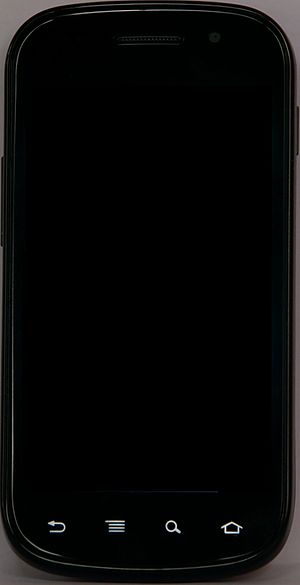
English: Google Nexus S - Samsung Android PhoneImage via WikipediaAndroid MarketImage via WikipediaImage representing iPad as depicted in CrunchBaseImage via CrunchBaseImage representing iPhone as depicted in Crunc...Image via CrunchBase
03-Feb-2012

I have been wanting to put this in writing, my view on the lifecycle of iPhone, the entry, the bubble, the compression, and the explosion it will go into later on (maybe sooner than we think). And all the while that this is happening, the blip, the steady spot, and the ever-growing hold of Android’s worldwide presence.

What iPhone is in my view

Come to think of it, iPhone was decided to be a very unique device: closed system, and why not? It was the only phone that got the very formula of being accepted by people all over the globe with its very user-friendly touch screen, very responsive, doesn’t need a stylus or a pen, and doesn’t need a manual to be operated even by toddlers and unlettered hawkers. And because it is a closed system, the apps that were available to users from the AppStore were simply the better make, if not the best. I could be hearing moans and groans of disagreement, but hey, that is my view. That was the catch and hold of iPhone – and it may be its own cause of demise.

What Android is to my view

The other device isn’t having an entrance to the electronic world like iPhone had, but if I were to put it in my own words, it is like an ant that crept, almost unnoticed, but once in position, it made the bite, and what a sting it made! I could be prejudiced, since I never was enamored with the iPhone, however pretty it was, there’s no amount of fairness in it that charmed me. Hey, beauty is in the eye of the beholder, so you can’t blame me. But with Android being open, the entry it made was logarithmic: the single cell dividing into two, and two diving, and four dividing, and on, and on, and on. It would seem like a virus, and if it is, it is the incurable virus that will attack and hit iPhone to its very core, unrelenting, allowing no chance of recovery until complete takeover is accomplished.


With this I bring to mind Google OS, which was not a success. The world simply wasn’t ready for that idea, I believe. That was in 2009. The size and presence of Google didn’t help Google OS, or perhaps, the timing wasn’t right, since there isn’t an accompanying electronic device to advertise the new OS. Thus the flop.

Android Phone

Android's first device was unveiled somewhere late 2007, and it was an immediate hit. And why not? Even at the inception stage, the agreement and understanding was already on an open-source, open-market foundation. And from that structure, the development and marketing was opened to the whole wide world. That’s the attack and impact that Android phone made.


What now?

Design

iPhone doesn’t change its design. It is still the same size, and the screen remains the same, since iPhone 3 till iPhone 4S. If the story is true, that iPhone 5 will all be a device of built-in accessories, battery, memory, SIM card, etc., to me that is a fiasco in process, a phone designed to doom, designed for doom. It will be on both sides. If you buy that kind of phone, and if a part breaks while under warranty, it is to the iPhone company’s cost, and out of warranty, it is to the consumer’s burden. So either way, a device will all built-in parts is not a good design at all, a lose-lose situation. I think iPhone is way out of hand in its closed-system strategy.
Well it has somehow changed, but it is on the reverse path: curved corners becoming squared and pointy, that’s all.

Implementation

iPhone remains a closed system, and it is still iPhone. Then there is iPad, but these remain a closed system. Just a very annoying limitation that it makes. It’s like saying to you: “I give you a wonderful device to use and play with, but only you can do such and such…”

Android is opened to the world, and anybody can develop, for free (iPhone isn’t), and sell your products out in the market. Now this free-ness of the Android Market is its own problem. While AppStore presents you with the better and best of the deals, you find all kinds in the Android Market. Actually there is a thing called Android Black Market, where apps are purchased and the paid versions are uploaded for anybody to ‘search and acquire’ later on. Talk about freedom…

Which is why more and more phone manufacturers are hitching to the Android bandwagon with each days that passes.

Acceptability

iPhone is very well accepted, there is no question to that. To date, iPhone still commands a queue whenever the next release is announced or simply rumored. But the experience later on could very well be described as a sudden burst, a flame that ignites and is gone as quickly as the fire was lit. Am I making the wrong judgment here?

Android gives user a much more realistic mobile experience. E-mails, browsing, YouTube, streaming media, what have you, not to mention social networks - on the go. So the initial feud between Google and Facebook can’t be avoided, but the differences have been settled, or a compromise has been reached. I now do Facebook on my Android phone.

I am able to install a lot of apps from the Android Market, try them out, uninstall, rate, reinstall, rate again, or blog about them, and even root my phone. I’m not worried about the warranty, since I got my unit for only $11 as a promotional price, but I have tried rooting many times afterwards, and I will do even more things with my Android phone. What am I saying here? Freedom to the max!

Simply put, I like a phone that enables me, and frees me to do what I want. Caveat: With freedom comes accountability.

My wife sees me installing so many apps for kids, like read-me stories, alphabets, puzzles, memory games, and our toddler is tirelessly playing with my phone and learning in the process, and she spends less time with my wife’s iPhone nowadays. What’s the message? Kids cannot lie. They like Android phones. Not so much apps of those kinds can be found in the AppStore, if not for a fee. A small fee by the millions isn’t small money, you know.

She actually asked me, “can we exchange phones?”

Verdict

iPhone got a beating, and a good one at that, making her black and blue all over. PSP also got knocked down with a right hook: who’s holding PSP nowadays, if not an iPad, a tablet, an iPhone, or an Android phone?

Finally, who knows, with the undeniable presence and impact that Android is making, stronger with each passing day, just one fine day, it will be able to rise up against Microsoft, brandishing a completely overhauled, redesigned and retrofitted Google OS that is already equally capable as, if not better than, Windows OS?

Just my wild view, fired by Android phone.

Till then!


Enhanced by Zemanta